Overview
Most SaaS websites have the same problem. They look polished, communicate features clearly, and still do not generate enough demos.
The issue is rarely the design. It is the strategy underneath the design. A SaaS website is not a brochure or a portfolio. It is a go-to-market asset that needs to do the work of an entire sales team for buyers who will never speak to anyone before deciding whether to request a demo. When that asset is built without a clear understanding of the SaaS buyer journey, it fails regardless of how good it looks.
In this guide:
- What makes SaaS web design different
- The SaaS buyer journey: what your website needs to do
- The six pages every SaaS website must get right
- The most common SaaS website mistakes
- Choosing the right CMS for a SaaS website
- How much does a SaaS website cost?
- How long does a SaaS website project take?
- SaaS web design by growth stage
- How to choose a SaaS web design agency
- Frequently asked questions
This guide covers everything a SaaS marketing leader needs to know about building a website that generates pipeline: what makes SaaS web design different, which pages matter most, the mistakes that kill conversion rates, how to choose a CMS and an agency, and what a properly executed project should cost and take.
This guide is part of our complete guide to B2B web design, which covers the broader principles behind B2B website strategy.
1. What makes SaaS web design different
SaaS web design sits at the intersection of two specific challenges that most agencies are not equipped to handle simultaneously: communicating a complex, often abstract product clearly, and converting a sophisticated, research-driven buyer who will make most of their decision before ever speaking to your sales team.
Both challenges require a fundamentally different approach to the one that works for a services business or an ecommerce brand.
The product is invisible
Unlike a physical product, a SaaS product cannot be photographed. You cannot show someone holding it, wearing it, or using it in a lifestyle context. You have to communicate value through words, structure, and selective use of product screenshots or demo videos. This places enormous pressure on the quality of the messaging and the hierarchy of information on every page.
The most common failure mode is leading with features rather than outcomes. A buyer does not care that your platform has 47 integrations. They care that it eliminates the manual data entry that costs their team three hours every week. Feature-first websites generate traffic. Outcome-first websites generate demos.
The buyer is doing most of the work alone
According to Gartner, B2B buyers spend just 17% of their purchase journey meeting with potential suppliers. For SaaS specifically, that number is often lower: many SaaS buying decisions are made entirely through self-directed research, trial sign-ups, and peer reviews on platforms like G2 and Capterra, without a single sales conversation.
Your website has to anticipate and answer every question a buyer might have at every stage of that journey. It is doing the job of your sales team for the majority of your pipeline.
Multiple stakeholders, one website
A SaaS purchase in a B2B context typically involves two to five people: the champion who found the product, the technical evaluator who reviews the integration architecture, the finance decision-maker who assesses the ROI, and the senior stakeholder who signs off. Each of them visits your website with different questions. Your navigation, content hierarchy, and page structure need to serve all of them.
| Stakeholder | What they need from your website |
| Champion (usually Marketing or Ops) | Proof the product solves their specific problem |
| Technical evaluator (IT or Engineering) | Integration details, security credentials, API documentation |
| Finance decision-maker (CFO or Procurement) | Pricing clarity, ROI evidence, contract terms |
| Senior sign-off (CEO or Director) | Company credibility, client logos, case study outcomes |
The conversion goal is a behaviour, not a purchase
Unlike ecommerce, SaaS conversion is not a transaction. The goal is to get a qualified person to take a specific action: start a free trial, request a demo, or book a call. Everything on the site should be organised around making that action as easy and obvious as possible for the right person, while not alienating the early-stage researcher who is not ready yet.
For benchmarks on what good SaaS conversion looks like, read our guide to SaaS demo conversion optimisation.
1. What makes SaaS web design different
SaaS web design sits at the intersection of two specific challenges that most agencies are not equipped to handle simultaneously: communicating a complex, often abstract product clearly, and converting a sophisticated, research-driven buyer who will make most of their decision before ever speaking to your sales team.
Both challenges require a fundamentally different approach to the one that works for a services business or an ecommerce brand.
The product is invisible
Unlike a physical product, a SaaS product cannot be photographed. You cannot show someone holding it, wearing it, or using it in a lifestyle context. You have to communicate value through words, structure, and selective use of product screenshots or demo videos. This places enormous pressure on the quality of the messaging and the hierarchy of information on every page.
The most common failure mode is leading with features rather than outcomes. A buyer does not care that your platform has 47 integrations. They care that it eliminates the manual data entry that costs their team three hours every week. Feature-first websites generate traffic. Outcome-first websites generate demos.
The buyer is doing most of the work alone
According to Gartner, B2B buyers spend just 17% of their purchase journey meeting with potential suppliers. For SaaS specifically, that number is often lower: many SaaS buying decisions are made entirely through self-directed research, trial sign-ups, and peer reviews on platforms like G2 and Capterra, without a single sales conversation.
Your website has to anticipate and answer every question a buyer might have at every stage of that journey. It is doing the job of your sales team for the majority of your pipeline.
Multiple stakeholders, one website
A SaaS purchase in a B2B context typically involves two to five people: the champion who found the product, the technical evaluator who reviews the integration architecture, the finance decision-maker who assesses the ROI, and the senior stakeholder who signs off. Each of them visits your website with different questions. Your navigation, content hierarchy, and page structure need to serve all of them.
| Stakeholder | What they need from your website |
| Champion (usually Marketing or Ops) | Proof the product solves their specific problem |
| Technical evaluator (IT or Engineering) | Integration details, security credentials, API documentation |
| Finance decision-maker (CFO or Procurement) | Pricing clarity, ROI evidence, contract terms |
| Senior sign-off (CEO or Director) | Company credibility, client logos, case study outcomes |
The conversion goal is a behaviour, not a purchase
Unlike ecommerce, SaaS conversion is not a transaction. The goal is to get a qualified person to take a specific action: start a free trial, request a demo, or book a call. Everything on the site should be organised around making that action as easy and obvious as possible for the right person, while not alienating the early-stage researcher who is not ready yet.
For benchmarks on what good SaaS conversion looks like, read our guide to SaaS demo conversion optimisation.
3. The six pages every SaaS website must get right
Most SaaS websites have dozens of pages but six of them drive the majority of conversions. Getting these right is more valuable than having a large number of mediocre pages.
The homepage
The homepage has three jobs: confirm relevance (is this for me?), communicate value (what does it do and what outcome does it deliver?), and direct the right action (what should I do next?). It fails when it tries to say everything to everyone.
The strongest SaaS homepages lead with a single, specific outcome statement above the fold. Not a tagline about transformation or growth, but a concrete statement of what the product does for whom. Everything else on the page builds evidence for that claim.
For a detailed breakdown of what makes a SaaS homepage work, read our SaaS homepage design guide.
The pricing page
The pricing page is the most visited page on most SaaS sites after the homepage, and the one most often built as an afterthought. It needs to do several things simultaneously: communicate value at each tier, justify the cost difference between plans, reduce friction for the buyer who is almost ready to commit, and handle the most common objections before they are raised.
The biggest mistake on a pricing page is treating it purely as a feature comparison table. Buyers are not comparing features; they are asking whether this is worth it for their situation. Your pricing page copy, social proof placement, and FAQ section need to answer that question directly.
For the full framework, read our guide to SaaS pricing page design.
Use case and solution pages
One of the highest-leverage content investments for a SaaS company is a set of dedicated use-case pages that speak directly to a specific audience, role, or problem. A generic homepage cannot say everything to everyone. A use-case page for Marketing Operations Teams or a solution page for Enterprise Compliance can speak with specificity that creates immediate relevance for the right buyer.
These pages also rank for long-tail keywords that are closer to purchase intent than generic category terms. A buyer searching for project management software for engineering teams is further along in their journey and more likely to convert than one searching for project management software.
Case studies
Case studies are the most underinvested content type on most SaaS websites. A good case study is not a testimonial with a company logo attached. It is a narrative that describes the buyer's situation before your product, what changed after implementation, and the specific, measurable outcomes that resulted.
The three elements that make a case study credible are: a named client with a recognisable company, a specific outcome expressed as a number, and a quote from a real person with a real job title. Without all three, a case study is decoration rather than proof.
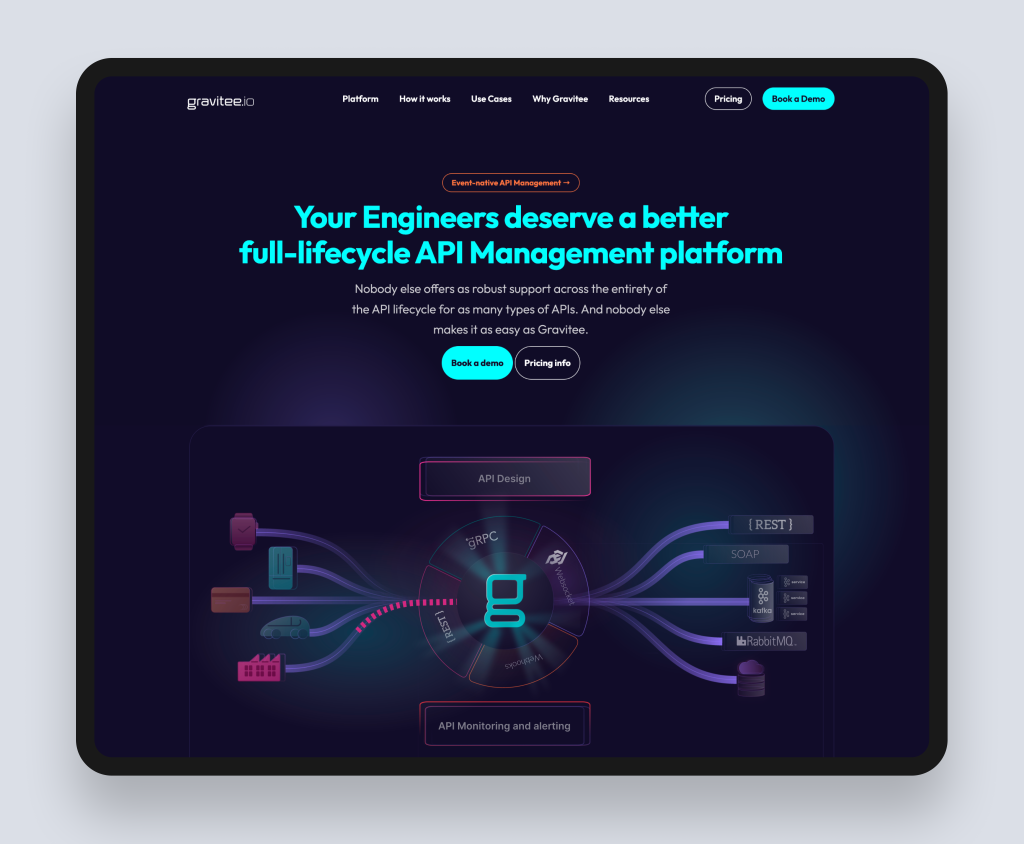
| Case study: Gravitee (API management SaaS) |
| Gravitee is a leading API management platform serving enterprise technology teams globally. Their challenge was communicating a technically complex product to a technically sophisticated audience while also making the business case clear to the non-technical stakeholders who influence purchase decisions. Rudo redesigned and rebuilt their site on HubSpot CMS, restructuring the content around distinct buyer journeys, creating a comprehensive resources hub that serves developers, architects, and procurement teams at different levels of technical depth, and expanding the template library so the marketing team could build campaign landing pages independently. Full case study: rudo.co.uk/case-studies/gravitee/ |
The demo request or free trial page
This is the highest-value conversion page on your site and the one most often neglected. The page a buyer lands on after clicking your primary CTA should reinforce their decision to take action, not create new friction.
That means: a short, focused form with only the fields you genuinely need; a clear statement of what happens next (when will they hear from you, what does the call look like, is there a free trial with no credit card required); and social proof placed directly on the page, not on the page they came from.
The about and team page
B2B SaaS buyers are choosing a vendor relationship, not just a product. Your team page and about page are visited most heavily by buyers who are in the final stages of evaluation. They want to know who they will be working with, whether the company has the depth to support them, and whether it has the trajectory to still exist in three years.
A strong team page has real photographs, genuine biographies that mention specific expertise rather than generic enthusiasm, and a clear sense of company culture. It is the page that turns a product evaluation into a vendor relationship.
4. The most common SaaS website mistakes
We work with SaaS companies at different stages and see the same problems repeatedly. Most of them are not design problems. They are strategy problems that show up in the design.
Feature-first messaging
The most widespread mistake in SaaS web design is writing copy about the product rather than about the buyer's outcome. Your product has a real-time collaboration feature. Your buyer wants their team to stop emailing spreadsheets to each other. These are not the same thing. Write from the outcome backward to the feature, not from the feature forward to a vague promise of benefit.
A single CTA for all visitors
Request a demo is not the right action for every visitor at every stage. An early-stage researcher needs a case study or a guide. A mid-stage evaluator needs a free trial or a product tour. A late-stage decision-maker needs a personalised demo. Offering only one CTA means failing all the visitors who are not at the demo-request stage, which is the majority of your traffic.
Pricing hidden or absent
Hiding pricing behind a contact form is a common instinct in SaaS, particularly for products with complex enterprise pricing. But the evidence consistently shows that removing pricing entirely increases bounce rates and reduces the quality of demo requests. Buyers who contact you without any pricing context often disengage quickly when they learn the cost. Transparent pricing, even if it is a starting from figure with an explanation of what drives cost up, builds trust and qualifies leads before they enter your sales process.
No content for the technical evaluator
In most SaaS buying processes, the person who champions the product is not the person who approves the technical integration. The IT lead, the engineer, or the CTO will review the product for security compliance, integration compatibility, and data architecture. If your website has no documentation, no security page, and no technical FAQ, that evaluation happens somewhere else or not at all.
Case studies without outcomes
A case study that says a client was delighted with the results is not a case study. It is a testimonial with extra words. Every case study should contain a measurable outcome: percentage increase in qualified leads, hours saved per week, reduction in time to close, revenue directly attributable to the platform. If you do not have this data from your clients, the first step is to start collecting it.
Ignoring the pricing-page visitor
The pricing page is the clearest signal of commercial intent on your site. A visitor who reaches your pricing page is closer to converting than almost any other visitor. Yet most SaaS companies treat it as a feature grid rather than a conversion page. It should carry your strongest social proof, your clearest value statements, and your most direct CTA.
For the full list of conversion killers and how to fix them, read our B2B website conversion rate guide.
5. Choosing the right CMS for a SaaS website
The CMS choice for a SaaS website is particularly consequential because SaaS marketing teams move fast. New landing pages for product launches, campaign pages, A/B tests, and feature announcement pages need to happen without developer involvement. The wrong CMS creates a bottleneck that slows your go-to-market velocity.
Webflow: our most common recommendation for SaaS
Webflow is the platform of choice for the majority of SaaS companies we work with, for a simple reason: it gives marketing teams the ability to build, update, and test pages without raising a development ticket. The visual editor is genuinely powerful, the hosting is fast and managed, and the output quality is high enough that design-conscious SaaS companies are not making a compromise.
Webflow also has the best animation and interaction capabilities of any no-code platform, which matters for SaaS companies where product demonstrations, feature showcases, and interactive landing pages are part of the marketing toolkit.
Best for: SaaS companies at seed to Series B stage, fast-moving marketing teams, design-led brands, and companies without in-house development resource.
Find out more about our Webflow agency service.
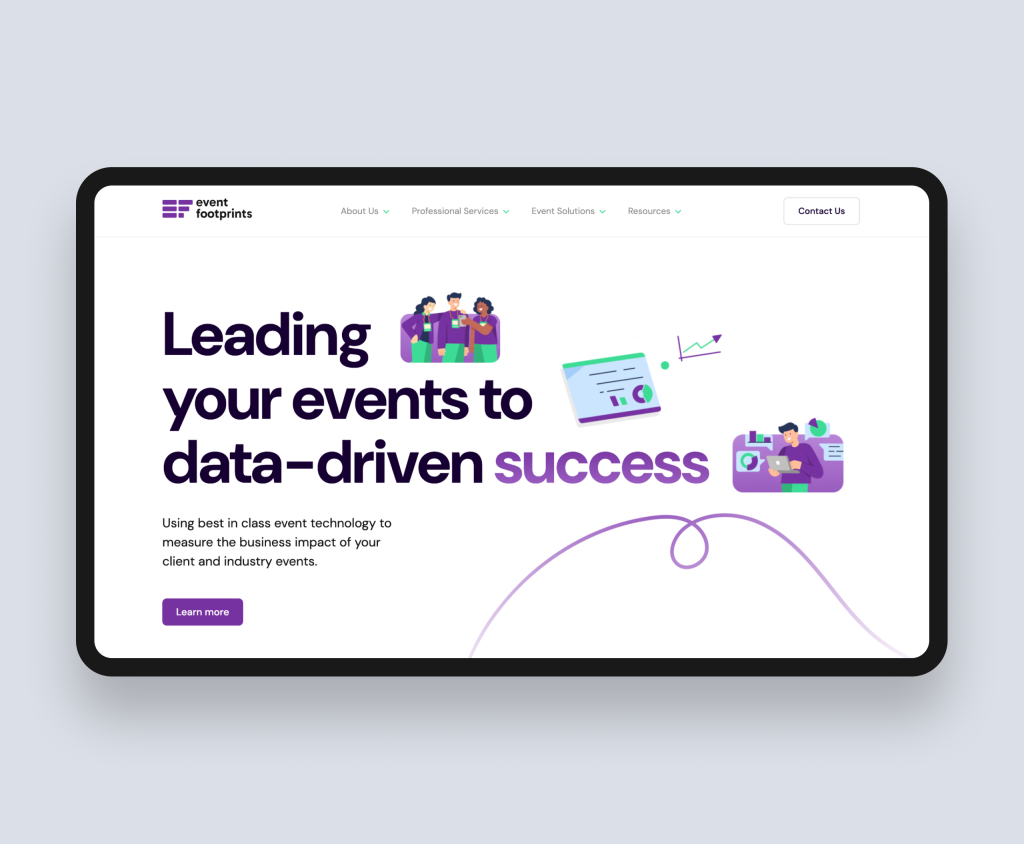
| Case study: Event Footprints (B2B event analytics SaaS) |
| Event Footprints helps businesses measure and maximise the impact of their events through behavioural data and analytics. Their original website failed to communicate this value clearly: messaging was vague, navigation was fragmented, and the site was not generating the leads their platform deserved. Rudo redesigned the site, restructuring content around the specific value their platform delivers to event managers and marketing leaders, adding interactive elements to demonstrate the product, and integrating with HubSpot CRM for seamless lead capture. The redesigned site positioned Event Footprints clearly in a competitive market and gave their team the tools to manage content independently. Full case study: rudo.co.uk/case-studies/eventfootprints/ |
HubSpot CMS: when your website needs to integrate with your CRM
For SaaS companies already operating on HubSpot for their CRM, marketing automation, and sales pipeline, HubSpot CMS is the natural choice. The integration value is significant: every page visit, form submission, and content download is automatically attached to a contact record in your CRM, giving your sales team complete visibility into which content a prospect engaged with before requesting a demo.
The smart content capability is particularly valuable for SaaS: personalising your homepage headline, CTAs, and case studies based on whether the visitor is a known contact, which lifecycle stage they are at, or which industry they are in. For SaaS companies with long, multi-touch sales cycles, this is a genuine conversion advantage.
Best for: SaaS companies already using HubSpot CRM or Marketing Hub, companies with complex multi-touch sales cycles, and those where website personalisation is a priority.
Find out more about our HubSpot CMS agency service.
WordPress: when content volume or integration complexity is high
WordPress remains the most flexible option for SaaS companies with large, structured content libraries, complex third-party integration requirements, or specific technical needs that Webflow or HubSpot cannot accommodate out of the box. If your go-to-market strategy depends heavily on SEO and content volume, WordPress's content management capabilities and plugin ecosystem make it the strongest choice.
Best for: SaaS companies with large content operations, complex integration requirements, or in-house development teams.
Find out more about our WordPress web design service.
Not sure which platform is right for your SaaS company? Read our guide to WordPress vs Webflow vs HubSpot for B2B.
| The right CMS for your SaaS website is the one your marketing team can operate independently after launch. A beautiful site built on a platform your team cannot update quickly becomes a liability as your product evolves. We are platform-agnostic and will tell you honestly which one fits your situation. |
6. How much does a SaaS website cost?
SaaS website projects vary more than most, because the scope of what a SaaS site needs to do varies so significantly by growth stage. Here are realistic investment bands for the UK market:
Early stage: £10,000 to £18,000
A focused site covering the core pages: homepage, product overview, pricing, case studies or social proof section, and contact. Typically 10 to 20 pages built on Webflow or WordPress. Strategy and UX included at a level appropriate for early-stage priorities. Best for pre-seed to seed-stage SaaS companies that need a credible, well-designed presence quickly.
Growth stage: £18,000 to £40,000
A fully custom design with a thorough discovery and strategy phase, use-case and solution pages, a content-ready blog, case studies, an interactive pricing page, and CMS setup that gives the marketing team real independence. Typically 25 to 50 pages across Webflow or HubSpot CMS. This is where Rudo operates most frequently with SaaS clients.
Scale stage: £40,000 to £100,000 and above
Comprehensive sites for established SaaS companies with multiple product lines, enterprise and SMB audience segmentation, multi-language requirements, deep CRM integration, personalisation logic, and custom development for interactive product demos or configurators.
What drives SaaS website costs up
- Number of use-case and solution pages. Each requires distinct messaging and design, even if built on shared templates.
- Interactive elements. Product tours, ROI calculators, demo videos, and interactive pricing tools all require design and development time beyond standard pages.
- CMS platform choice. HubSpot CMS projects typically cost more to build than equivalent Webflow projects due to the complexity of CRM integration and smart content setup.
- Copywriting tier. Copywriting is one of the most significant cost variables in a SaaS project. Rudo offers three tiers: strategic guidance only, hybrid, or full copywriting. See below for a breakdown of each.
- Integrations. Connecting to your CRM, product analytics platform, customer support tool, and marketing automation system all add development time.
Copywriting: the three tiers
Content is the most underestimated cost in a SaaS website project. Most agencies treat it as the client's problem. At Rudo we offer a structured approach depending on your team's capacity and the speed you want to move at.
- Strategic guidance (client writes, we direct). Rudo provides detailed page-by-page copy outlines: the messaging hierarchy, the key claims for each section, the proof points to include, and the CTAs to use. Your team writes the final copy using these outlines as a brief. This is the fastest option and the most cost-effective. It works well when you have a strong internal writer who knows the product deeply.
- Hybrid (we write core pages, you handle the rest). Rudo writes the highest-stakes pages: homepage, pricing page, key use-case pages, and the demo request page. Your team handles the remaining pages using our brand voice guidelines and messaging framework as a reference. This is our most commonly chosen option. It ensures the pages that drive the most conversions are written by specialists.
- Full copywriting (we write everything). Rudo writes every page on the site, from homepage through to case studies, team bios, and the 404 page. This option is chosen by SaaS companies undergoing a full repositioning, launching in a new market, or without in-house copywriting resource. It adds approximately £8,000 to £14,000 to a project depending on page count, and typically adds 1 to 2 weeks to the timeline as copy rounds are integrated with design.
For a detailed breakdown of website project costs including ongoing costs, read our SaaS website cost guide.
7. How long does a SaaS website project take?
A mid-market SaaS website project at Rudo typically takes 10 to 14 weeks from kickoff to launch. Here is how that breaks down:
| Phase | Duration |
| Discovery and strategy | 1 to 2 weeks |
| UX and wireframing | 1 to 2 weeks |
| Visual design | 2 to 3 weeks |
| Development and CMS build | 4 to 5 weeks |
| QA, launch, and handover | 1 to 2 weeks |
SaaS projects tend to move faster than other B2B website projects for two reasons. First, SaaS marketing teams are typically more digitally fluent and give faster, more decisive feedback. Second, the content is often more developed before the project starts, as many SaaS companies have existing messaging frameworks, product documentation, and case study material that can be adapted rather than created from scratch.
The most common cause of SaaS project delays is scope expansion mid-project: new use-case pages, additional integrations, or a change in product positioning that requires significant messaging work. Agree a clear scope before kickoff and manage additions as phase-two work.
How your copywriting tier affects the timeline
The copywriting approach you choose has a direct impact on how long the project takes. Understanding this upfront helps you plan your internal resources alongside the agency timeline.
- Strategic guidance. Adds no time to the project timeline if copy is delivered to the agreed schedule. The risk is on the client side: if internal copy delivery is delayed, it becomes the most common reason a project runs long. We recommend agreeing copy delivery dates at kickoff and treating them with the same priority as client review deadlines.
- Hybrid. Adds approximately 1 week to the overall timeline. Rudo's copy for core pages is typically delivered during the UX and wireframing phase, so copy and design develop in parallel rather than sequentially. This minimises the impact on the overall launch date.
- Full copywriting. Adds 1 to 2 weeks to the overall timeline. A dedicated copy review round is added between discovery and design, ensuring all page messaging is agreed before visual design begins. This is the cleanest workflow but requires the longest runway.
For a full week-by-week breakdown of what a project involves, read our B2B website project timeline guide.
8. SaaS web design by growth stage
The right website for a SaaS company depends not just on its product but on where it is in its growth journey. The priorities, the pages, and the CMS choice all shift as a company scales.
Pre-seed and seed: clarity over comprehensiveness
At this stage the primary goal is to communicate what the product does and for whom with enough clarity that a prospective user or investor immediately understands the value. The site can be relatively small: homepage, product overview, an about page, and a contact or sign-up page. What matters more than page count is the quality of the core messaging.
The most common mistake at this stage is building too much. A seed-stage SaaS company that spends six months building a 40-page website is spending time it should be spending on product and early customers.
Series A: building the conversion engine
Series A is typically when a SaaS company has validated its core product and is investing seriously in go-to-market. The website needs to evolve from a presence to a pipeline generator. This means adding use-case pages, strengthening the case study section with specific client outcomes, building a proper pricing page, and setting up the CMS so the marketing team can move quickly.
This is also the stage where the CMS decision matters most. A Series A marketing team that is blocked from building landing pages without developer involvement is spending money on a bottleneck.
If you are planning a rebuild rather than a first site, read our guide to SaaS website redesign for a framework on when to redesign, when to iterate, and how to scope the project.
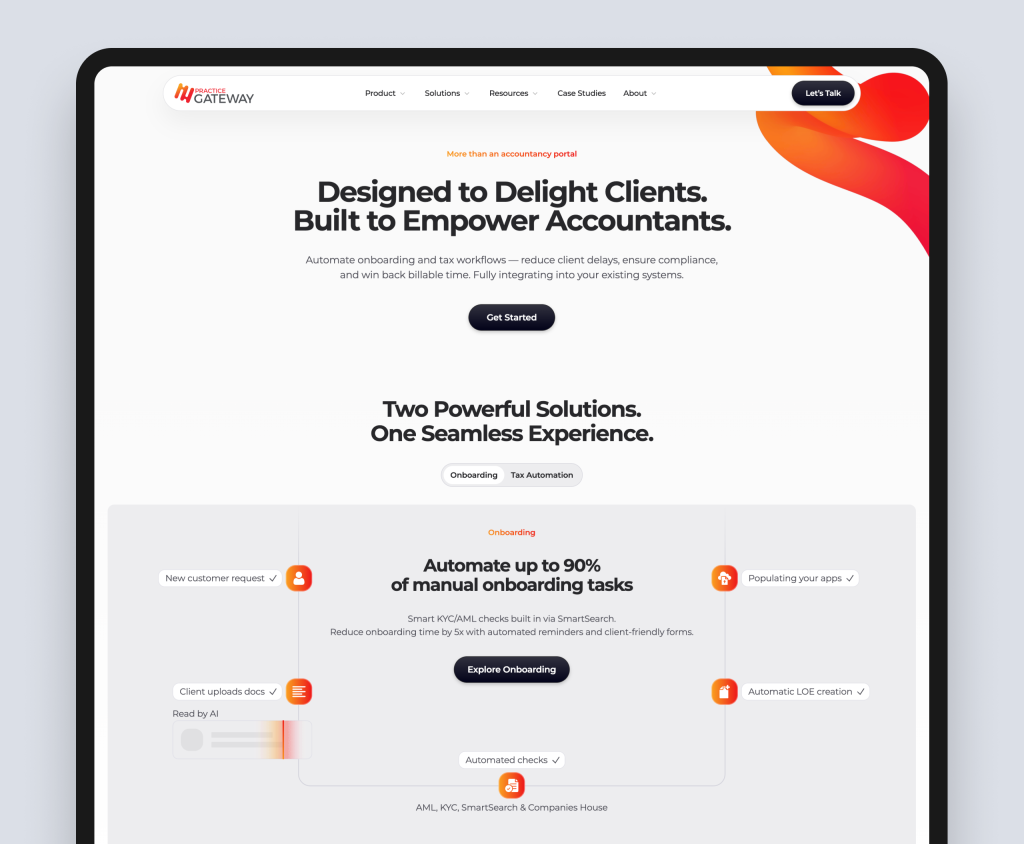
| Case study: Practice Gateway (Accountancy practice management SaaS) |
| Practice Gateway is an accountancy software platform helping UK practices manage client onboarding, compliance, and billing. Their challenge was communicating a multi-feature product to practice managers and firm partners who are risk-averse and time-poor. Rudo built an interactive ROI calculator that allowed practice managers to model the financial impact of switching to Practice Gateway based on their specific firm size and current software costs. This single conversion tool reduced the sales cycle by giving prospects a personalised business case to present to partners internally, without requiring a sales call to get there. Full case study: rudo.co.uk/case-studies/practice-gateway/ |
Series B and beyond: segmentation and personalisation
At scale, a SaaS website needs to serve multiple audience segments simultaneously: SMB buyers who want self-service, enterprise buyers who need a personalised engagement, and existing customers who need product documentation and support resources. The homepage can no longer serve all of them equally.
This is where audience segmentation in the navigation, smart content personalisation (if using HubSpot CMS), and separate landing page tracks for different buyer types become necessary investments. It is also where an ABM-aligned website, with content tailored to specific target accounts, starts to make commercial sense.
9. How to choose a SaaS web design agency
Not all web design agencies are equipped to work on SaaS websites. The specific requirements of SaaS: product communication, conversion optimisation, technical integration, and fast go-to-market pace, require a different kind of expertise than a generalist agency brings.
Here are the questions that separate agencies with genuine SaaS experience from those that will apply a B2C or services approach to your project.
Do they understand SaaS buyer psychology?
Ask them to walk you through their approach to a SaaS homepage. If their answer focuses primarily on design, layout, and visual identity, they are thinking about aesthetics rather than conversion. A genuinely SaaS-experienced agency should be talking about the buyer journey, the specific actions you want different visitor types to take, and how the messaging hierarchy guides each type toward the right next step.
Can they show you SaaS-specific conversion outcomes?
Ask for case studies that include specific before-and-after metrics: demo conversion rate, organic traffic, time to close. Agencies that can only show you redesigns without outcome data have not been measuring the right things.
How do they approach the pricing page?
The pricing page is the highest-intent page on a SaaS site. An agency that treats it as a design exercise rather than a conversion problem does not understand SaaS. Ask specifically: how would you approach our pricing page, and what are the most common mistakes you see there?
Do they understand the CMS requirements of a SaaS marketing team?
Ask what platforms they recommend for SaaS companies and why. If the answer is whatever the client wants without any strategic thinking about marketing team velocity, you are talking to an agency that builds websites but does not think about how they get used after launch.
What happens after launch?
A SaaS website is never finished. Product positioning evolves, new use cases emerge, and the conversion funnel needs continuous optimisation. Ask what the agency offers after launch: retainer support, landing page builds, A/B testing, ongoing SEO. If the answer is nothing, factor in the cost of finding someone else to do it.
For a complete checklist of questions to ask before hiring any web design agency, read how to choose a B2B web design agency.
Ready to build a SaaS website that generates demos, not just traffic?
Rudo is a London-based B2B web design agency with a track record of building SaaS websites that perform. We work with SaaS companies from seed stage to Series B, on Webflow, HubSpot CMS, and WordPress, bringing strategy, UX, and conversion thinking to every project.
We are ranked number one in the UK on DesignRush and top ten on Clutch. Every project starts with a proper discovery phase before a single pixel is designed.
Tell Us About Your Website Goals
Book a no-obligation intro call. We will review your current site, understand your go-to-market goals, and give you our honest view of what your website needs to do to generate the pipeline your business deserves.
View SaaS website examples from our portfolio.
10. Frequently asked questions
What is SaaS web design?
SaaS web design is the process of building websites specifically for software-as-a-service companies. It differs from general web design because SaaS websites must communicate an invisible, often complex product through messaging and structure alone, serve multiple buyer types at different stages of a self-directed research journey, and convert visitors to specific actions (demo requests, free trial sign-ups) rather than direct purchases.
How much does a SaaS website cost in the UK?
SaaS website projects in the UK typically range from 8,000 for an early-stage focused site to 100,000 and above for a comprehensive scale-stage build. Growth-stage SaaS companies typically invest between 18,000 and 40,000 for a fully custom, strategy-led site with use-case pages, pricing page, case studies, and CMS setup for marketing team independence.
Read our SaaS website cost guide for a full breakdown.
Which CMS should a SaaS company use?
Webflow is our most common recommendation for SaaS companies because it gives marketing teams the ability to build and update pages without developer involvement, produces high-quality design output, and has low maintenance overhead. HubSpot CMS is the right choice for SaaS companies already using HubSpot CRM, where the data integration value justifies the higher platform cost. WordPress is best for SaaS companies with large content operations or complex integration requirements.
Read our guide to WordPress vs Webflow vs HubSpot for B2B for a full comparison.
What pages does a SaaS website need?
The six highest-impact pages on a SaaS website are: the homepage, the pricing page, use-case or solution pages for each major audience segment, the case studies section, the demo request or free trial page, and the team or about page. Beyond these, the most valuable additions are a product or features page, an integrations page for technically-evaluating buyers, and a security or compliance page for enterprise prospects.
How long does a SaaS website redesign take?
A mid-market SaaS website project typically takes 10 to 14 weeks from kickoff to launch. SaaS projects tend to move faster than other B2B projects because marketing teams give faster feedback and often arrive with more developed content. The most common causes of delay are scope expansion mid-project and slow internal sign-off processes.
Read our B2B website project timeline guide for a full breakdown.
What makes a SaaS website convert well?
If your project is a redesign of an existing SaaS site, read our SaaS website redesign guide before you scope it.
The highest-converting SaaS websites share five characteristics: outcome-first messaging that speaks to the buyer's problem rather than the product's features; multiple conversion paths for buyers at different stages of the journey; specific, named social proof with measurable outcomes; a pricing page built as a conversion page rather than a feature comparison; and fast load times with a strong mobile experience.
Read our guide to SaaS demo conversion optimisation for a practical improvement framework.
How is SaaS web design different from B2B web design generally?
SaaS web design is a subset of B2B web design with specific additional requirements: communicating an invisible, software-based product through messaging and structure; serving a buyer who will often make most of their decision through self-directed research without speaking to sales; and converting at multiple points in the journey (trial, demo, content download) rather than a single macro-conversion goal.
Read our complete guide to B2B web design for the broader context.

Written by
Rudo Agency
Rudo is a strategy-led web design and development agency specialising in B2B. Based in the UK and working with clients globally, we help ambitious brands turn complex ideas into high-performing websites. Our team combines digital strategy, UX/UI design, custom development, and SEO to deliver results-focused websites that support real business growth.
