Overview
Most CMS decisions are made on the wrong criteria. Teams compare pricing pages, count features, and ask which platform their developer prefers. They rarely ask the question that matters most for a B2B company: which platform will make my website most useful to my sales team?
That is the question HubSpot CMS was built to answer. It is the only major CMS where your website, your CRM, your marketing automation, and your sales pipeline all share the same data. A prospect who visits your pricing page three times this week is already in your CRM. A lead who downloads a case study before booking a demo arrives in that conversation visible to your sales rep. The attribution from first website visit to closed deal is traceable in one platform, without integrations, middleware, or data reconciliation.
This guide covers everything a B2B marketing leader needs to know about building a website on HubSpot CMS: what it does, how it differs from other platforms, who it is right for, what a project costs and involves, and how to choose the right HubSpot web design agency for your project.
In this guide:
- What is HubSpot CMS and how is it different from other platforms?
- Who HubSpot CMS is built for
- The HubSpot CMS feature set: what you actually get
- HubSpot CMS and your CRM: the integration advantage
- Smart content: what it is and why it matters
- HubSpot CMS vs WordPress vs Webflow
- What a HubSpot CMS website project involves
- Migrating to HubSpot CMS: the redesign opportunity
- How much does a HubSpot CMS website cost?
- How to choose a HubSpot web design agency
- Frequently asked questions
This guide connects to our complete guide to B2B web design and our comparison of WordPress vs Webflow vs HubSpot for B2B.
1. What is HubSpot CMS and how is it different from other platforms?
HubSpot CMS, now called Content Hub, is a cloud-based content management system that sits within the broader HubSpot customer platform alongside CRM, Marketing Hub, Sales Hub, and Service Hub. It was built from the ground up to connect website activity to commercial outcomes, rather than being a standalone publishing tool that requires integrations to become commercially useful.
This is the fundamental distinction. WordPress and Webflow are website platforms that you can connect to CRM tools. HubSpot CMS is a CRM platform with a website built into it. The commercial data flows in both directions by default, not by configuration.
What Content Hub includes
- A drag-and-drop page editor that gives marketing teams genuine independence for building and updating pages
- A blogging platform with built-in SEO recommendations, topic cluster tools, and pillar page support
- Landing page builder with A/B testing, form integration, and conversion tracking
- Smart content that personalises page sections based on visitor identity, lifecycle stage, or list membership
- A global CDN with managed hosting, SSL, automatic backups, and a 99.9% uptime SLA
- Built-in SEO tools including on-page optimisation recommendations, canonical tag management, and structured data support
- Native integration with HubSpot CRM, Marketing Hub, Sales Hub, and Service Hub
- Membership and gated content functionality for creating logged-in experiences
- Multi-language site management for companies operating across markets
What it is not
HubSpot CMS is not the most flexible platform for complex custom development. It is not the cheapest option on a pure platform-cost comparison. It is not the right choice for a company that is not using, or not planning to use, HubSpot's CRM and marketing tools. And it is not a replacement for a specialist agency: the platform is powerful precisely because of how it can be configured, and that configuration requires expertise.
2. Who HubSpot CMS is built for
HubSpot CMS is not the right choice for every company. Understanding exactly who it serves best prevents an expensive mismatch between platform and need.
The ideal HubSpot CMS client
- Already using HubSpot CRM or Marketing Hub. The platform's value multiplies dramatically when the website is one component of a connected HubSpot ecosystem. If you are already tracking leads, managing deals, and running marketing automation in HubSpot, moving your website to Content Hub closes the loop between marketing activity and revenue outcomes.
- A B2B company with a multi-touch sales cycle. HubSpot CMS is particularly powerful for companies where the average sales cycle involves multiple touchpoints over days, weeks, or months. Every website interaction is recorded against a contact record, giving sales teams a full picture of what a prospect has engaged with before the first conversation.
- A marketing team that wants independence from development. Content Hub's drag-and-drop editor, landing page builder, and blog tools are genuinely usable by non-technical marketers. If your team is currently raising developer tickets for every page update, HubSpot CMS is designed to remove that dependency.
- A company where website personalisation is a priority. HubSpot's smart content capability, which personalises page sections based on who is visiting, is not available at this level of native integration on any other major CMS. For B2B companies with multiple audience segments or complex buying committees, this is a meaningful conversion advantage.
- A company planning to scale its digital marketing operation. HubSpot CMS grows with you. The same platform that manages a 20-page website for a seed-stage company can run a multi-language, multi-brand, personalised enterprise site for the same company five years later, without migration.
HubSpot CMS is particularly popular with SaaS and tech companies, where the CRM integration and smart content capabilities align closely with a data-driven go-to-market model. Find out more about our SaaS and tech web design service.
When HubSpot CMS is probably not the right choice
- You are not using and have no intention of using HubSpot's CRM. The core value of the platform is data connectivity, and without CRM integration that value is significantly reduced.
- Your primary constraint is upfront cost and you have no ongoing marketing budget. HubSpot CMS is a higher-cost platform than WordPress or Webflow on a pure subscription comparison.
- Your website requires extremely complex custom development that sits outside HubSpot's templating architecture.
- Your go-to-market relies almost entirely on a very large content operation where WordPress's plugin ecosystem and open-source flexibility would serve you better.
For a detailed comparison of all three platforms, read our guide to WordPress vs Webflow vs HubSpot for B2B.
3. The HubSpot CMS feature set: what you actually get
This section covers the features that matter most for B2B companies, not a comprehensive feature inventory. The goal is to help you understand what you will actually use and what commercial impact each capability has.
The drag-and-drop editor
HubSpot's page editor allows marketing teams to build and update pages using a flexible module system without writing code. Modules are pre-built content blocks (text, image, CTA, form, video, testimonial, rich text) that can be arranged, customised, and combined to create new page layouts. A well-structured HubSpot build gives marketing teams the ability to build a new landing page in under an hour, without involving a developer.
The editor works within a defined design system established during the build phase. This means marketing teams have creative flexibility within a consistent visual framework: they cannot accidentally break the site's design by changing font sizes or colours, because those parameters are controlled at the template level.
The blog and SEO tools
HubSpot's blogging platform includes built-in on-page SEO recommendations that guide writers through optimising each post before publication. The topic cluster tool, which maps pillar pages to cluster content, supports a structured content strategy that builds topical authority over time. This is a genuine advantage over platforms where SEO tooling is delivered via third-party plugins that require separate configuration and licensing.
Landing page builder and A/B testing
HubSpot's landing page builder is separate from the main site CMS and optimised specifically for campaign pages. It includes native A/B testing, smart CTA support, progressive profiling on forms (which fills in known fields for existing contacts), and direct integration with workflows and lead scoring. For B2B companies running paid campaigns, this is significantly more capable than building campaign pages in WordPress with separate A/B testing tools.
Membership and gated content
Content Hub's membership functionality allows you to create logged-in areas of your website: gated resource libraries, customer portals, partner intranets, and similar experiences. Access is managed through HubSpot lists or contact properties, meaning it is tied directly to your CRM data. A contact who achieves a certain lead score, or who has been moved to a specific lifecycle stage, can automatically be granted access to gated content without manual administration.
Reporting and attribution
HubSpot's website reporting connects traffic data, page performance, conversion events, and contact-level engagement into a unified view. You can see which pages a specific contact visited before submitting a form, which traffic sources produce the highest-quality leads, and which content pieces are most frequently consumed by contacts who go on to close as customers. This attribution chain, from first website visit to closed revenue, is available natively within the platform.
4. HubSpot CMS and your CRM: the integration advantage
The commercial case for HubSpot CMS rests almost entirely on this section. Understanding the integration advantage is the key to understanding why companies choose HubSpot CMS over lower-cost alternatives.
Every website visitor is a CRM record
When a known contact visits your website, their activity is recorded against their contact record in HubSpot CRM. Your sales team can see that a prospect visited your pricing page twice this week, read your security documentation, and watched your product demo video, before you have spoken to them. This information changes the quality of the first sales conversation. Instead of starting with who are you and what are you interested in, the rep can open with I see you have been looking at our enterprise pricing, would it be useful to walk through what that includes?
Forms that know who they are talking to
When a known contact submits a form on your website, HubSpot pre-fills the fields it already knows. Progressive profiling means that returning contacts are asked for new information each time rather than repeating what you already have. Over multiple interactions, your CRM builds a richer profile without requiring the contact to fill in a lengthy form at any single point.
Workflows triggered by website behaviour
HubSpot's workflow engine can trigger automated actions based on website activity. A contact who visits the pricing page three times in a week can be automatically enrolled in a sales sequence. A contact who downloads a competitor comparison document can be flagged to their assigned sales rep. A contact who visits the careers page can be removed from the active sales pipeline. These automations run on live website data without any manual monitoring.
| Case study: Source Investments (Property investment, HubSpot CMS) |
| Source Investments came to Rudo with a website that no longer reflected the sophistication of their business. Their recently adopted HubSpot CRM needed to work hand in hand with the new site for campaign landing pages, lead capture, and pipeline tracking. Rudo rebuilt the site on HubSpot CMS, creating a new sitemap segmented by audience type and building modular landing page templates that the Source team could use for ongoing campaigns without developer involvement. Every lead captured through the site flows directly into their HubSpot pipeline, with the page source and campaign attribution tracked automatically. Full case study: rudo.co.uk/case-studies/source-investments/ |
Sales and marketing alignment in one platform
One of the most persistent operational problems in B2B companies is the disconnect between marketing activity and sales visibility. Marketing generates leads in one system; sales manages pipeline in another. The two datasets are reconciled manually, incompletely, and usually retrospectively. HubSpot CMS eliminates this problem by design. Marketing and sales are looking at the same contact records, the same engagement history, and the same pipeline data.
Revenue attribution without middleware
Attribution, understanding which marketing activities actually drive revenue, is difficult on most CMS platforms because the data lives in separate systems: website analytics in one tool, CRM in another, email in a third. HubSpot connects these natively. You can report on which blog posts, which landing pages, and which email campaigns contributed to closed revenue, using the same data your sales team uses to manage their pipeline.
Rudo builds HubSpot CMS websites across a wide range of B2B industries. Find out more about our work in financial services web design, recruitment web design, property web design, healthcare web design, and manufacturing web design.
5. Smart content: what it is and why it matters
Smart content is HubSpot CMS's most commercially distinctive capability and the one most underused by companies that have already adopted the platform.
What smart content does
Smart content allows you to show different versions of a page section to different visitors based on criteria you define. The criteria can include: whether the visitor is a known contact or unknown; their lifecycle stage (lead, marketing qualified lead, customer); their list membership; their geographic location; the device they are using; or the referral source they arrived from.
In practice, this means your homepage can show a different headline and CTA to a prospect who has already submitted a form than to an anonymous visitor. It can show different case studies to a visitor from the financial services sector than to one from the technology sector, if you know their industry from a previous interaction. It can show a customer testimonial to a contact who is currently in negotiation and a free trial CTA to a contact who is in the awareness stage.
Why this matters for B2B
B2B websites typically serve buyers at very different stages of a long buying journey. A generic homepage optimised for the average visitor is, by definition, sub-optimal for every specific visitor. Smart content allows you to move from a one-size-fits-all website to a website that adapts its message based on what it knows about the person viewing it.
The practical impact is most significant for companies with multiple distinct audience segments or with long, multi-touch sales cycles. A SaaS company serving both SMBs and enterprise buyers can show SMB pricing and case studies to a visitor whose company size indicates they are an SMB, and enterprise content to a visitor from a large company. A professional services firm can show different credibility signals to a new prospect and to a returning contact who is in the proposal stage.
| Case study: Gravitee (API management SaaS, HubSpot CMS) |
| Gravitee needed their HubSpot CMS website to serve both technical and non-technical buyer audiences simultaneously. Rudo built the site with a content architecture that routes different audience types to the content most relevant to them: developer-focused technical documentation and API references for engineering evaluators, and outcome-focused case studies and ROI frameworks for the business decision-makers who ultimately sign off on the purchase. Smart content personalisation was configured to present different CTAs and resource recommendations based on the visitor's role and engagement history, reducing the work each buyer type has to do to find what they need. Full case study: rudo.co.uk/case-studies/gravitee/ |
For a detailed guide to setting up and using smart content effectively, read our guide to HubSpot smart content.
6. HubSpot CMS vs WordPress vs Webflow
This is the question we field most often in intro calls from companies evaluating CMS options. Here is how we actually think about the comparison.
| Factor | HubSpot CMS | WordPress | Webflow |
| CRM integration | Native, no setup | Via plugins | Via integrations |
| Marketing automation | Native (Marketing Hub) | Via plugins or third-party | Via integrations |
| Smart content | Native | Via plugins | Limited native |
| Attribution reporting | Native, cross-channel | Requires multiple tools | Requires multiple tools |
| Marketing team autonomy | High | Moderate | High |
| Design flexibility | Moderate to high | High with custom dev | Very high |
| Platform maintenance | Zero (fully managed) | Ongoing (self-managed) | Zero (fully managed) |
| Monthly platform cost | From ~$20/seat (Starter) to $1,500+ (Enterprise) | Hosting: ~50 to 300 | From ~$23/month |
| Best for | HubSpot CRM users, complex B2B sales cycles | Content-heavy, custom builds | Design-led, agile marketing teams |
The honest summary
HubSpot CMS wins on data connectivity, attribution, and marketing automation integration. No other platform comes close to the native commercial intelligence it provides when you are already in the HubSpot ecosystem.
WordPress wins on flexibility, content scale, and cost. If you have complex custom development needs, a very large content operation, or a primary constraint of low ongoing cost, WordPress is the more practical choice.
Webflow wins on design quality and marketing team velocity. If your priority is a beautifully designed site that your marketing team can update and expand independently, and you are not in the HubSpot ecosystem, Webflow is typically the strongest option.
The comparison only makes sense in context. We are platform-agnostic and will recommend the right one for your specific situation.
Find out more about our HubSpot CMS agency service.
Find out more about our WordPress web design service.
Find out more about our Webflow agency service.
For the full comparison, read our in-depth guide to WordPress vs Webflow vs HubSpot.
For the specific HubSpot vs WordPress comparison, read our HubSpot CMS vs WordPress guide.
For the specific HubSpot vs Webflow comparison, read our HubSpot CMS vs Webflow guide.
7. What a HubSpot CMS website project involves
A HubSpot CMS project follows the same strategic foundation as any well-run B2B website project, with some specific phases that are unique to the platform.
Discovery and strategy: weeks 1 to 2
Stakeholder interviews, audience persona development, competitor analysis, positioning review, and commercial goal setting. For HubSpot CMS projects specifically, discovery also includes a review of your existing HubSpot portal: what is already configured, what workflows are live, and how the website should connect to your CRM, marketing automation, and sales pipeline from day one.
Copywriting: three tiers, planned upfront
As with all Rudo projects, copywriting is planned and scoped before the project begins, not treated as the client's problem mid-project. We offer three tiers:
- Strategic guidance: Rudo provides detailed page outlines; your team writes the copy. Adds approximately £1,500 to £3,000 to the project.
- Hybrid: Rudo writes the high-impact pages (homepage, key landing pages, core service pages); your team handles the rest using our messaging framework. Adds approximately £3,500 to £7,000. Our most commonly chosen option.
- Full copywriting: Rudo writes everything, beginning with a messaging workshop. Adds approximately £6,000 to £14,000 and 1 to 2 weeks to the timeline.
UX and wireframing: weeks 3 to 4
Information architecture, user flow mapping, and wireframes for all page templates. For HubSpot projects, this phase also includes defining the module library: the set of content blocks that will make up the design system and that marketing teams will use to build pages after launch.
Visual design: weeks 5 to 7
High-fidelity design for all templates in Figma, across desktop and mobile. HubSpot-specific design considerations include how modules are structured for editor flexibility, how smart content regions are handled visually, and how CTA and form components integrate with HubSpot's native tools.
HubSpot development and configuration: weeks 8 to 13
This phase is longer than an equivalent WordPress or Webflow build because it involves not just building the site but configuring the HubSpot portal to connect the website to your commercial operations. This includes: theme and template development in HubSpot's HubL templating language; custom module development for any components not available natively; CRM property mapping so form submissions populate the right fields; workflow setup for website-triggered automations; smart content configuration; and lead scoring setup if required.
For clients migrating from another platform, this phase also includes redirect mapping, contact data migration, and historical analytics configuration.
QA, launch, and handover: weeks 14 to 15
Cross-browser QA, form and integration testing, workflow testing, smart content verification, and load speed checks. Post-launch includes a CMS training session for the marketing team, documentation of all custom modules, and a workflow and automation walkthrough so the team knows how to use what has been built.
For a full week-by-week breakdown of B2B website project timelines, read our B2B website project timeline guide.
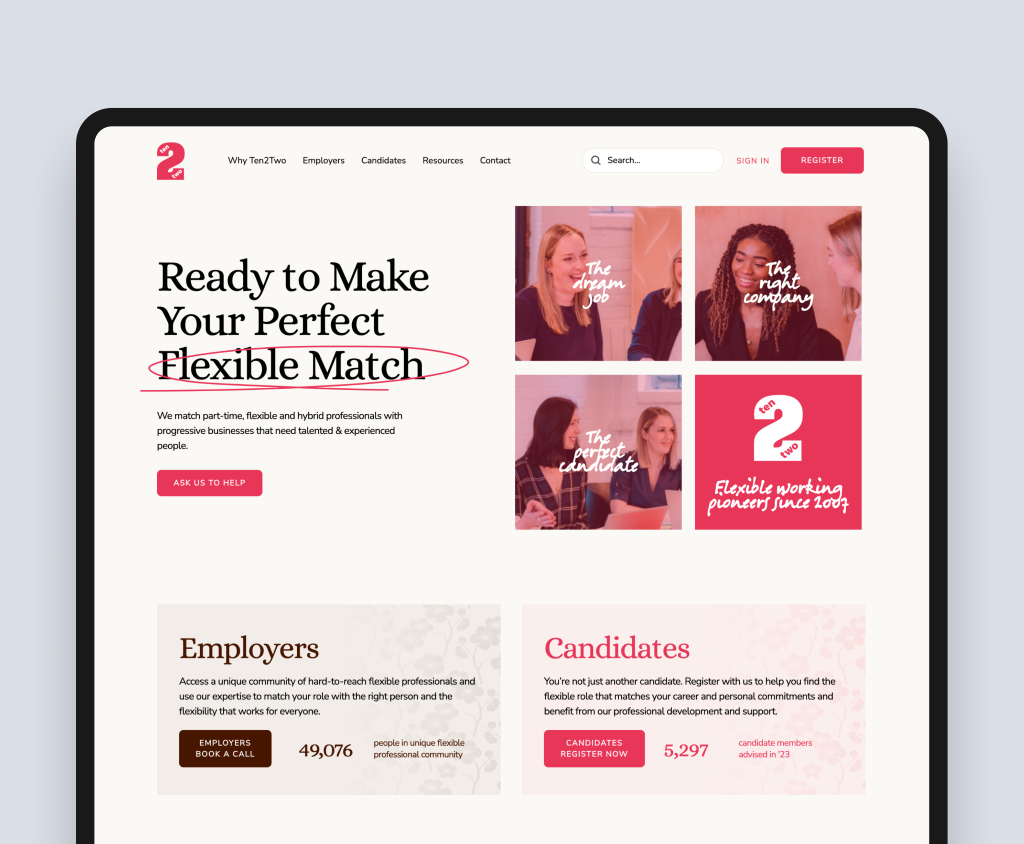
| Case study: Ten2Two (Flexible working recruitment, HubSpot CMS) |
| Ten2Two is a UK recruitment agency specialising in flexible and part-time professional roles. Their rebrand required a website that served two very different audiences: employers looking for senior talent on flexible terms, and candidates looking for meaningful work on their own schedule. Rudo built the site on HubSpot CMS, creating distinct content journeys and navigation paths for each audience while maintaining a unified brand identity. The HubSpot integration connected all lead capture directly to their CRM pipeline, with separate workflows for employer and candidate enquiries routing each to the appropriate team member. Full case study: rudo.co.uk/case-studies/ten2two/ |
For guidance on migrating an existing site to HubSpot CMS, read our guide to migrating to HubSpot CMS.
8. Migrating to HubSpot CMS: the redesign opportunity
The most common route to a HubSpot CMS website is not a company starting from scratch. It is a company that already has a website on WordPress, Webflow, or another platform, adopts HubSpot CRM, and then realises that connecting the two systems through plugins and integrations is a poor substitute for a native solution.
This migration moment is one of the most valuable opportunities a B2B company gets to improve its digital presence. Too many companies treat it as a technical exercise: lift the existing site across to HubSpot and reconnect the forms. The companies that get the most from it treat it as a strategic reset: a chance to rethink the information architecture, improve the content, fix the SEO foundations, and build a website that works properly with their CRM from day one.
Why migration is the right moment to redesign
Migrating a website always involves touching every page, rebuilding every template, and reconfiguring every integration. The marginal cost of doing that work strategically rather than mechanically is smaller than most companies expect. The marginal benefit is significant.
Most websites that are more than two years old have accumulated structural problems: a navigation built around the company's internal structure rather than the buyer's journey; pages added without a content strategy; URLs that were never cleaned up; and a visual design that no longer reflects where the business is. A migration without a redesign carries all of those problems into the new platform.
A migration with a redesign solves them. And because the development work of building on HubSpot has to happen regardless, the additional investment in strategy, content architecture, and design is proportionally smaller than it would be in a standalone redesign project.
| The opportunity in one sentence |
| You are already paying to rebuild every page. The question is whether you rebuild them as they were, or as they should be. |
The SEO opportunity in a HubSpot migration
A migration handled badly can cause significant, lasting damage to search rankings. Every URL that changes without a properly configured 301 redirect loses the authority that URL had accumulated. Every page that is migrated with thin or poorly structured content misses the chance to improve its ranking position. A migration executed without SEO expertise often produces a ranking drop that companies spend months recovering from.
A migration handled well does the opposite. It is the single most impactful opportunity most B2B websites ever get to improve their SEO foundations, because it forces you to touch every URL, review every piece of content, and reconfigure every technical setting. Companies that approach migration as an SEO exercise, not just a platform exercise, typically see meaningful ranking improvements within three to six months of launch.
What a well-executed HubSpot migration includes
- Full content audit: identifying pages worth migrating, pages worth consolidating, and pages worth removing
- Information architecture review: restructuring the sitemap around the buyer journey rather than the existing site structure
- 301 redirect mapping for every URL that is changing: protecting the search authority accumulated by the existing site
- On-page SEO review and improvement during migration: updating meta titles, descriptions, heading structures, and internal linking for every migrated page
- Content improvement alongside migration: refreshing thin or outdated content as pages are rebuilt rather than migrating it as-is
- Schema markup and structured data configuration: setting up FAQPage, Organisation, and BreadcrumbList schema for key page types in HubSpot
- CRM integration from day one: configuring form-to-CRM property mapping, workflow triggers, and lead routing at build time rather than retrofitting after launch
| The most common migration mistake |
| Migrating content as-is without auditing it first. If a page was underperforming because the content was thin or the structure was poor, moving it to HubSpot will not fix either problem. The platform change is not a content strategy. |
Migrating from WordPress: the most common journey
The majority of clients who come to Rudo for a HubSpot CMS migration are moving from WordPress. The migration involves rebuilding all page templates in HubSpot's HubL architecture, migrating blog content and media, configuring CRM integrations natively, and mapping all existing WordPress URLs to their HubSpot equivalents.
The technical complexity of a WordPress to HubSpot migration is moderate. The strategic complexity is higher: how the information architecture changes, which content is improved during migration, and how the HubSpot portal is configured to connect the website to commercial operations. These decisions are more consequential than the technical migration work, and they are where specialist expertise has the greatest impact.
For a complete guide to planning and executing a HubSpot migration, read our guide to migrating to HubSpot CMS.
For a direct comparison of the two platforms, read our HubSpot CMS vs WordPress guide.
9. How much does a HubSpot CMS website cost?
HubSpot CMS projects have two distinct cost components: the platform subscription and the build cost. Understanding both is essential for accurate budgeting.
Platform subscription costs
HubSpot Content Hub uses a seat-based pricing model. The Starter tier starts at approximately £20 per seat per month and includes basic page building, blogging, and CRM integration. The Professional tier, which unlocks smart content, A/B testing, SEO recommendations, membership functionality, and advanced reporting, starts at around £400 per month for the base plan and scales with seats. The Enterprise tier, which adds multi-domain management, advanced partitioning, custom objects, and additional AI capabilities, starts at approximately £1,500 per month.
For most B2B companies, Content Hub Professional is the appropriate starting tier. If you are already paying for HubSpot Marketing Hub Professional or Sales Hub Professional, your Content Hub subscription may be included or discounted as part of a bundled Customer Platform plan. Ask your HubSpot account manager or a HubSpot partner about bundle pricing before purchasing standalone.
| An important note on total HubSpot cost |
| The Content Hub subscription is often just one component of a broader HubSpot investment. If you are also using Marketing Hub, Sales Hub, or Service Hub, your total HubSpot expenditure should be assessed holistically. Many companies find that the combined subscription cost is justified by the elimination of separate tools for email marketing, CRM, analytics, landing pages, and chat. |
Build costs
A HubSpot CMS website project at Rudo typically falls into these bands:
- Standard: £15,000 to £30,000. A fully custom design with discovery and strategy phase, 15 to 30 page templates, module library development, CRM integration, workflow setup, and team training. Appropriate for most B2B companies moving to or rebuilding on HubSpot CMS.
- Complex: £30,000 to £60,000. Larger sites with multiple audience segments, smart content configuration, membership functionality, advanced workflow development, data migration from a previous CMS, or multi-language setup.
- Enterprise: £60,000 and above. Multi-brand or multi-domain deployments, complex custom development, deep CRM customisation, advanced attribution and reporting setup, and large-scale content migration.
What drives HubSpot CMS build costs up
- Module complexity. Custom modules with interactive behaviour, smart content regions, or complex layout options require more development time than standard content blocks.
- Workflow and automation development. Setting up sophisticated website-triggered workflows, lead scoring models, and personalisation rules requires significant configuration time in addition to the development work.
- Data migration. Migrating content, contact data, and historical analytics from a previous platform adds both time and complexity, particularly if the source platform has inconsistent data structures.
- Multi-language setup. HubSpot supports multi-language sites natively, but configuring and populating multiple language variants of every page template adds meaningful time to a project.
- Copywriting tier. As with all Rudo projects, the copywriting approach chosen adds between £1,500 and £14,000 depending on the tier and page count.
For a detailed breakdown of HubSpot website costs, read our HubSpot website cost guide.
10. How to choose a HubSpot web design agency
HubSpot CMS is a specialist platform, and choosing the right HubSpot web design agency is one of the most consequential decisions in a HubSpot project. The skills required to build on it well, HubSpot's HubL templating language, custom module development, CRM property mapping, workflow configuration, and smart content setup, are different from the skills required to build on WordPress or Webflow. Choosing an agency without genuine HubSpot expertise means paying for a learning curve on your project.
Questions that reveal genuine HubSpot expertise
- How do you approach the CRM connection? A genuine HubSpot specialist should immediately discuss how the website will connect to your CRM: which form submissions map to which CRM properties, what workflows will be triggered by website activity, and how the sales team will use the data. An agency that talks only about design and page building has surface-level HubSpot knowledge.
- Have you configured smart content for B2B clients? Ask them to walk you through a specific smart content implementation they have done and what commercial impact it had. If they cannot give you a concrete example, they have not done it in a meaningful way.
- What is your handover process? A HubSpot CMS site that is handed over without proper training and documentation leaves your marketing team unable to use what has been built. Ask specifically what the training covers, whether there is documentation for custom modules, and what happens in the first 30 days after launch.
- Are you a HubSpot partner? HubSpot's partner programme is a quality signal. Agencies must demonstrate competency across HubSpot's platforms to maintain partner status. It is not a guarantee of quality, but it is a meaningful filter.
- Can they show HubSpot-specific case studies? Ask to see the last three HubSpot CMS sites they have delivered. Review the quality of the builds, the complexity of the integrations, and whether the results described are commercial outcomes or purely design outputs.
For a full checklist of questions to ask any B2B web design agency, read how to choose a B2B web design agency.
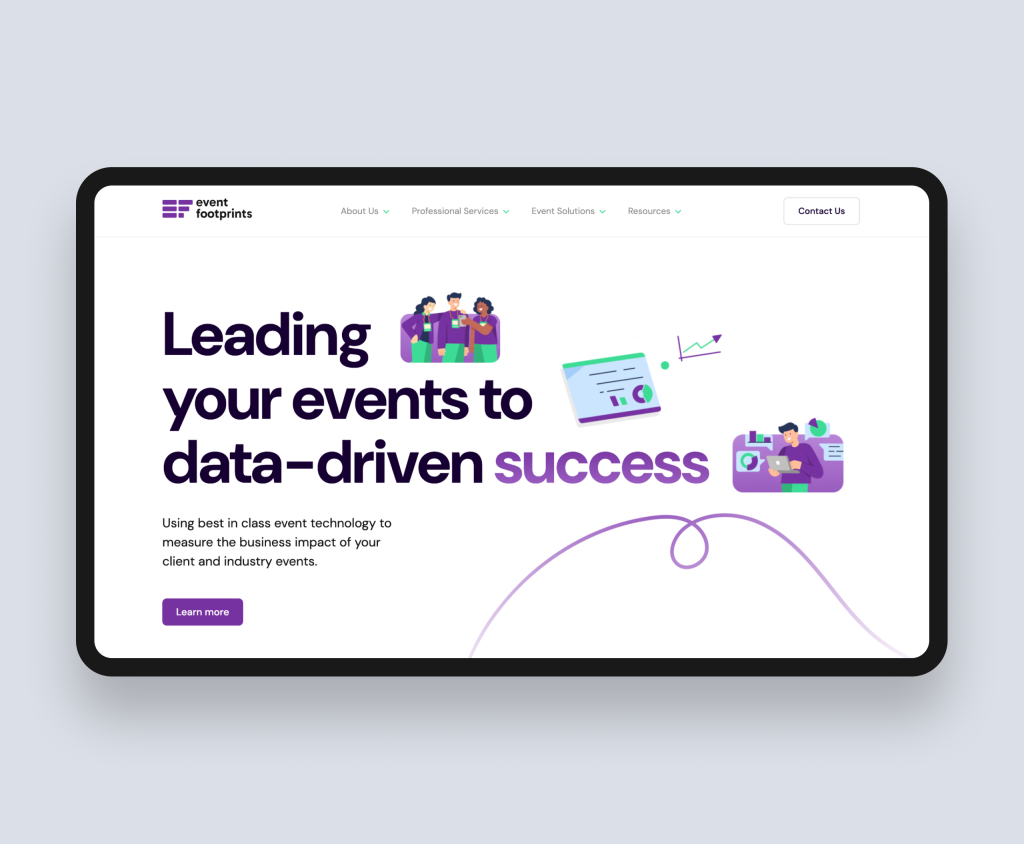
| Case study: Event Footprints (B2B event analytics SaaS, HubSpot CMS) |
| Event Footprints came to Rudo with an outdated website that failed to communicate their core offering clearly. The platform required a HubSpot CMS build with full CRM integration so that every lead captured from the redesigned site would flow directly into their sales pipeline with the appropriate engagement history attached. Rudo redesigned the site from the ground up, restructuring content around the specific value Event Footprints delivers at each stage of the event lifecycle, adding interactive elements to demonstrate the platform, and configuring HubSpot workflows so that the sales team receives real-time notifications when high-intent contacts engage with specific content. Full case study: rudo.co.uk/case-studies/eventfootprints/ |
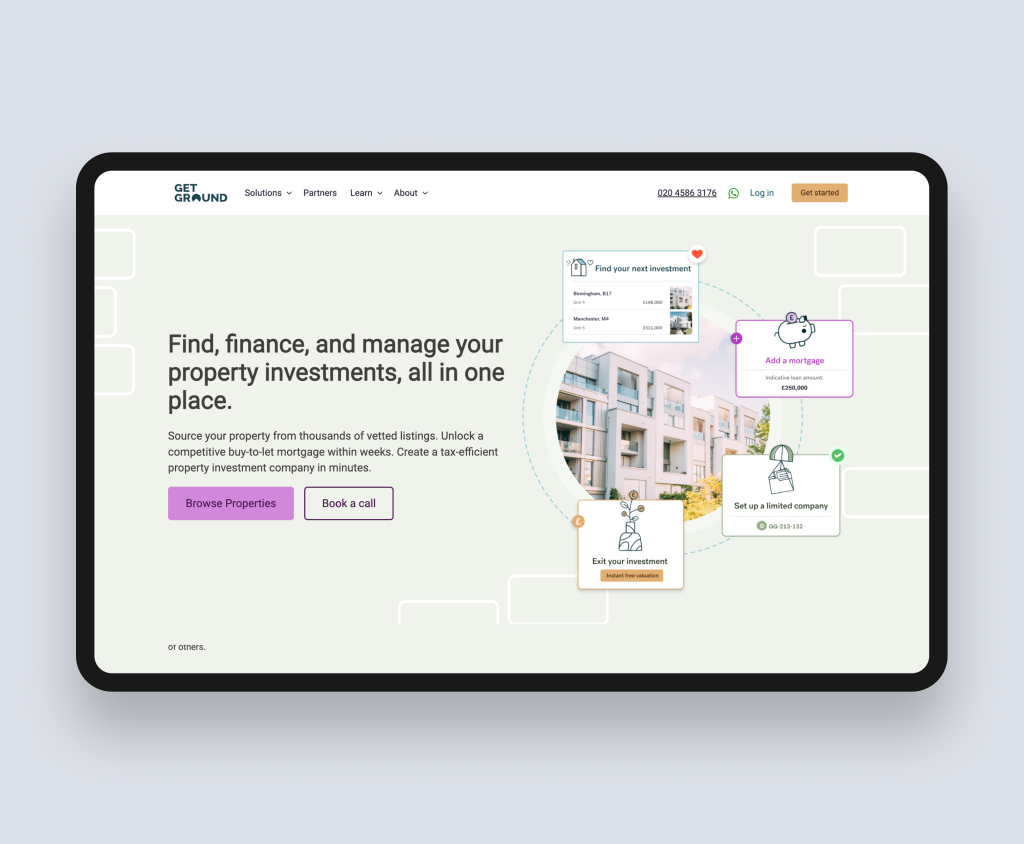
| Case study: GetGround (PropTech SaaS, HubSpot CMS) |
| GetGround is the UK's only digital company formation and management platform for buy-to-let property investment. Their challenge was communicating a complex, multi-stage product to property investors who may be encountering the category for the first time. Rudo redesigned and rebuilt the site on HubSpot CMS, creating distinct content journeys for new investors, experienced landlords, and portfolio builders. HubSpot's integrated marketing tools allowed GetGround to run targeted campaigns for each segment with campaign-specific landing pages, with every lead automatically routed to the appropriate sales workflow. Full case study: rudo.co.uk/case-studies/getground/ |
Ready to build a website that makes your HubSpot CRM work harder?
Rudo is a London-based B2B web design agency with deep HubSpot CMS expertise. We design, build, and configure HubSpot CMS websites that connect your digital presence to your commercial operations, giving your marketing team independence and your sales team intelligence.
We are ranked number one in the UK on DesignRush and top ten on Clutch. Every project starts with strategy before design, and every HubSpot build is configured to connect to your CRM from day one.
Tell Us About Your Website Goals
Book a no-obligation intro call. We will review your current site, understand your go-to-market goals, and give you our honest view of what your website needs to do to generate the pipeline your business deserves.
Browse HubSpot CMS website examples from our portfolio.
11. Frequently asked questions
What is HubSpot CMS?
HubSpot CMS, now called Content Hub, is a cloud-based content management system that is part of HubSpot's broader customer platform. Unlike standalone CMS platforms, it shares data natively with HubSpot CRM, Marketing Hub, and Sales Hub, meaning every website interaction is automatically connected to contact records, pipeline stages, and marketing workflows without requiring separate integrations.
Is HubSpot CMS good for B2B websites?
HubSpot CMS is particularly well-suited to B2B companies that are already using HubSpot CRM or Marketing Hub. The platform's native data integration means that website activity is visible to sales teams in real time, marketing automation can be triggered by specific website behaviours, and revenue attribution can be tracked from first website visit to closed deal. For B2B companies with complex, multi-touch sales cycles, this commercial intelligence is a meaningful competitive advantage.
How much does a HubSpot CMS website cost?
A HubSpot CMS website has two cost components: the platform subscription and the build cost. The platform starts at approximately £20 per seat per month for the Starter tier, with the Professional tier (which unlocks smart content, A/B testing, and advanced reporting) starting at around £400 per month. Build costs for a mid-market B2B site typically range from £15,000 to £30,000, with more complex builds reaching £60,000 and above. Copywriting adds between £1,500 and £14,000 depending on the tier chosen.
For a full breakdown, read our HubSpot website cost guide.
What is HubSpot smart content?
Smart content is HubSpot CMS's personalisation capability. It allows you to show different versions of page sections to different visitors based on criteria such as lifecycle stage, list membership, geographic location, or referral source. For example, a returning contact who is in the proposal stage can see a different homepage headline and CTA to an anonymous first-time visitor. For B2B companies with multiple audience segments or long sales cycles, smart content is one of the most commercially impactful features of the platform.
Read our full guide to HubSpot smart content for a practical setup framework.
Can I migrate my existing website to HubSpot CMS?
Yes. HubSpot CMS supports migration from any existing platform, including WordPress, Webflow, Squarespace, and custom-built sites. A migration involves rebuilding page templates in HubSpot's architecture, migrating content, configuring CRM integrations and workflows, and mapping redirects for all existing URLs to protect search rankings. A typical mid-market migration adds two to four weeks to a standard project timeline.
Read our full guide to migrating to HubSpot CMS for a step-by-step overview.
HubSpot CMS vs WordPress: which is better for B2B?
Neither is categorically better. HubSpot CMS is better for B2B companies already in the HubSpot ecosystem, where native CRM integration, marketing automation, and smart content personalisation justify the higher platform cost. WordPress is better for companies with complex custom development needs, large content operations, or a primary constraint of low ongoing cost. The right answer depends on your existing toolstack, your team's capability, and your commercial priorities.
Read our full comparison: HubSpot CMS vs WordPress.
Do I need to be a HubSpot user to use HubSpot CMS?
No. You can use HubSpot Content Hub as a standalone CMS without purchasing other HubSpot hubs. However, the primary value of the platform comes from its native integration with HubSpot CRM, Marketing Hub, and Sales Hub. If you are not using these tools and have no plans to do so, the platform's commercial case is significantly weaker and a lower-cost CMS may be a better fit.
How long does a HubSpot CMS website project take?
A mid-market HubSpot CMS website project typically takes 12 to 16 weeks from kickoff to launch. HubSpot projects take slightly longer than equivalent WordPress or Webflow builds because the development phase includes not just building the site but configuring the HubSpot portal: CRM property mapping, workflow setup, smart content configuration, and lead scoring. The additional time is invested in the commercial infrastructure that makes the platform valuable after launch.

Written by
Rudo Agency
Rudo is a strategy-led web design and development agency specialising in B2B. Based in the UK and working with clients globally, we help ambitious brands turn complex ideas into high-performing websites. Our team combines digital strategy, UX/UI design, custom development, and SEO to deliver results-focused websites that support real business growth.
